An AI-powered knowledge assistant that gives KPMG advisors the right insight in seconds, not two hours of searching.
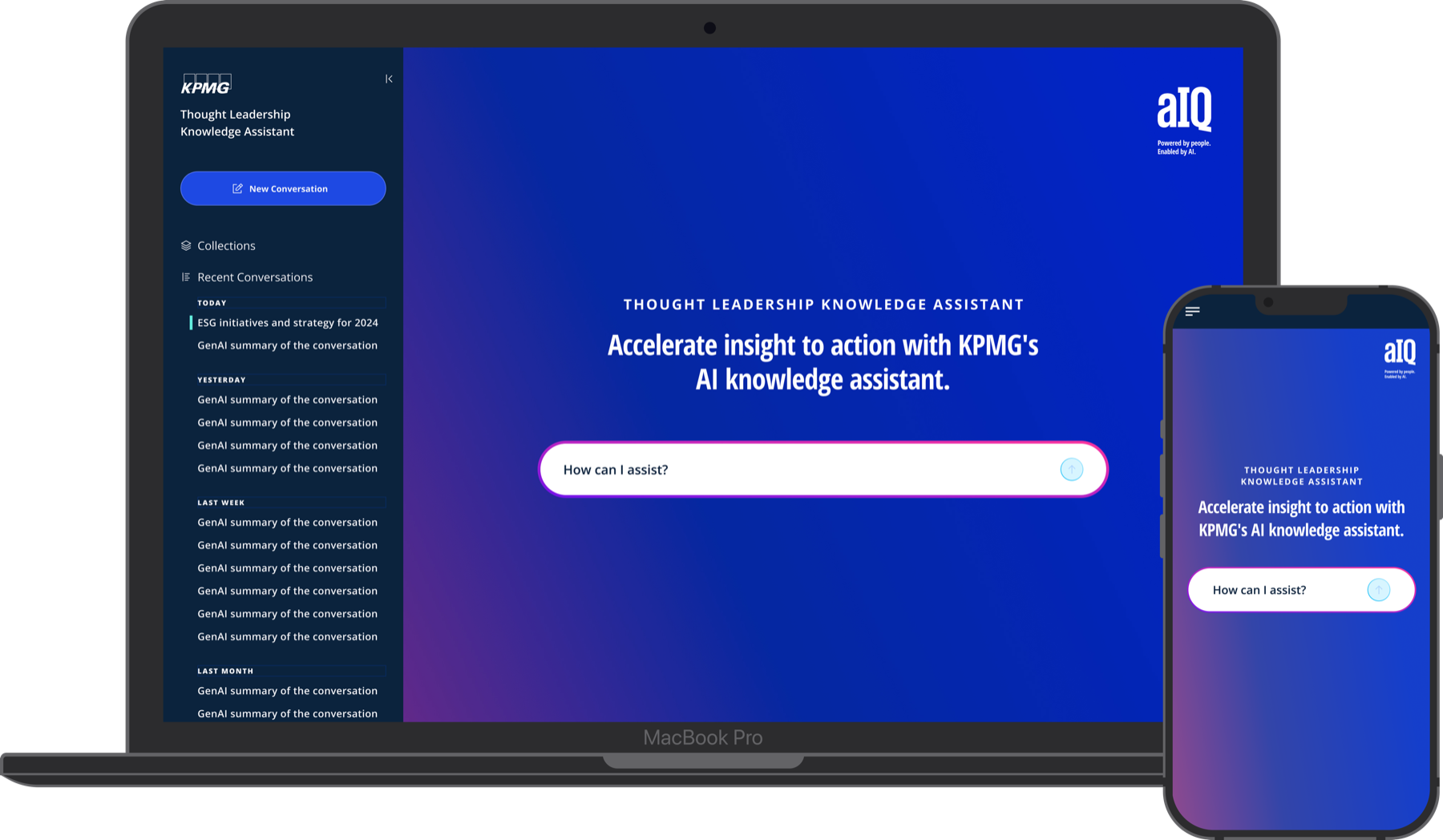
TLKA: desktop and mobile AI knowledge assistant
Too many systems. Not enough time.
KPMG's US advisory professionals walk into client meetings with high expectations for depth and relevance. But before they could get there, they had to hunt. Thought leadership, case studies, service documentation, and sector insights were scattered across internal portals, SharePoint sites, and external KPMG.com pages. There was no single place to go.
"I know the insight exists somewhere. I just don't always have time to find it before the meeting."
Director, AdvisoryThe result was a slow, frustrating research process that happened at the worst possible time: the night before a client call. Senior managers and directors were spending up to two hours cross-referencing sources for content that should take minutes to find.
Beyond time, there was a trust problem. Even when users did find content, they couldn't always tell how current it was or whether it applied to their specific sector. This led to under-utilization of the firm's own thought leadership, and over-reliance on Google.
Who we talked to
We conducted 12 structured interviews with internal KPMG advisory professionals across the US. Participants spanned three practice areas and a range of seniority levels to capture both the preparation habits of senior staff and the research burdens carried by junior team members.
What we asked
- Walk me through how you prepare for a new client meeting. Where do you start?
- What does your research process look like when you need to find KPMG thought leadership?
- How do you currently decide if a source is credible or up to date?
- When have you given up on finding something? What happened next?
- What would make this process feel less painful?
- Have you ever used an AI tool for research at work? What was that like?
What we heard
Director, Financial Services Advisory
"I have a client ask and I know we've written about it, but I can't find it in time. So I just describe it from memory and hope I'm close."
Senior Manager, Healthcare Advisory
"There are at least four places I might find a case study. I check all of them every time. It takes forever."
Manager, Risk Consulting
"I want to know where the answer is coming from before I trust it. If I can't trace it, I don't use it."
Associate, Deals Advisory
"Half my time before a client call is just looking. I'm not even reading yet, just looking."
Research validated the frustration
We combined interview findings with behavioral data from internal portal analytics and a survey of 47 advisory professionals. The picture was consistent across methods.
The survey covered two areas: a pre-engagement habits assessment (how professionals currently find, vet, and use thought leadership before client meetings) and a content confidence index (how certain they feel about the accuracy and relevance of the materials they surface). A second pulse survey was sent post-prototype to measure shifts in perceived usefulness and trust after exposure to the TLKA concept.
Usability testing
We ran two rounds of usability testing with advisory professionals across US practices. In round one, we tested low-fi mockups of the search and conversation experience to validate the core interaction model. In round two, we tested an interactive Figma prototype representing the full flow with real thought leadership content.
Key focus areas: prompt discoverability, trust signals on results, source attribution clarity, and how users navigated from a result back to the full document.
"If I can see where it came from and click through, I'll share it in the deck. If I can't, I won't."
Director, Consumer Advisory, Usability Test Round 2Round two testing also revealed that users wanted fewer suggested prompts shown upfront, but more specific ones. We reduced the landing screen from 6 prompt cards to 3, each scoped to a realistic pre-meeting scenario.
Two versions, one platform
TLKA was designed for two distinct audiences: internal KPMG advisory professionals in the US, and external clients. Both versions share the same core conversation experience, but the internal version is significantly more feature-rich, giving employees access to deeper research tools, workspace management, and advanced model controls that aren't surfaced to external users.
The features below focus on the internal version.
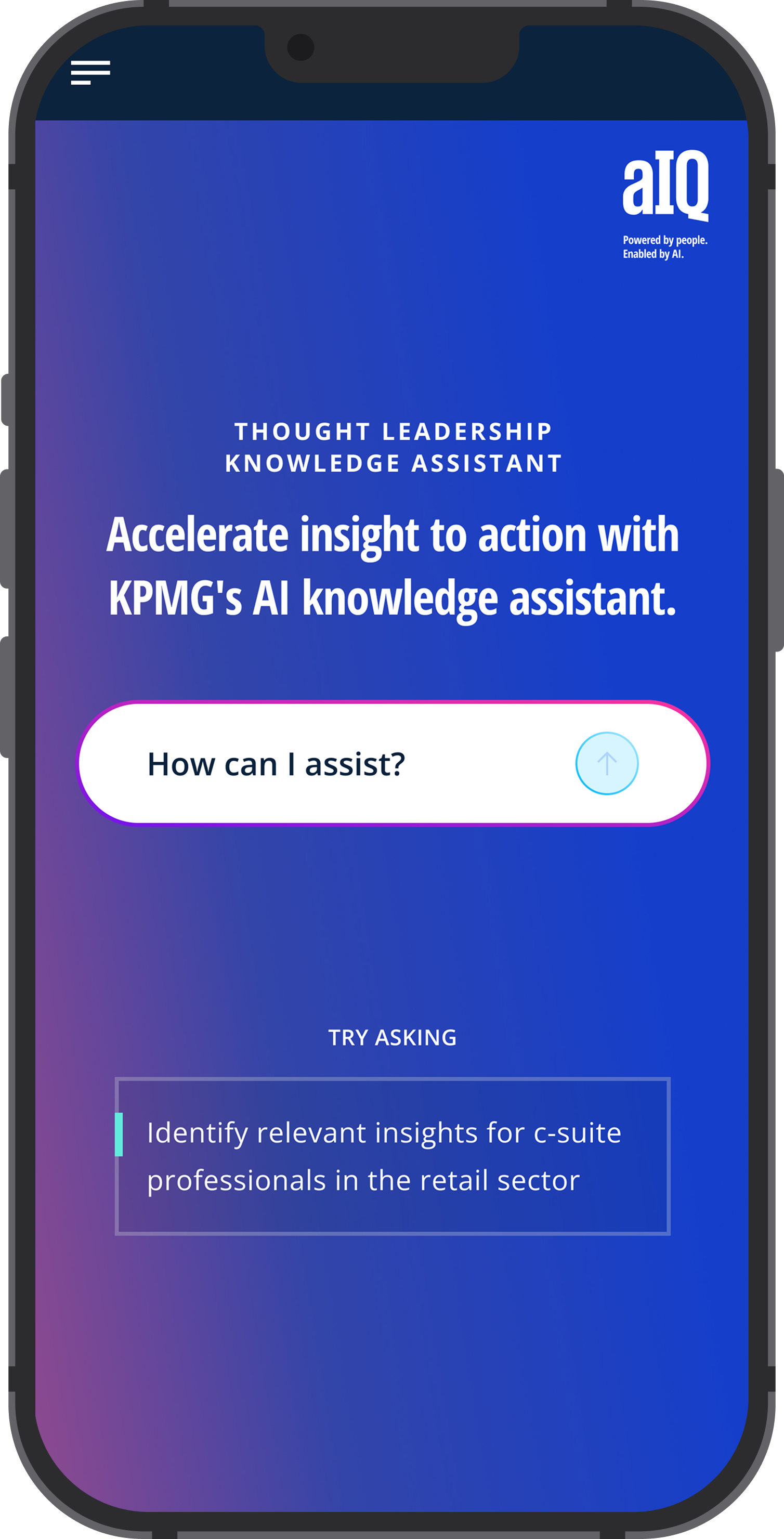
The landing page leads with a single open-text prompt, removing the need for filters or category menus before starting. Three scenario-based suggestion cards sit below the input, each grounded in real tasks from research interviews. Tap to see the returning user state: recent conversations and saved collections surface directly on landing.
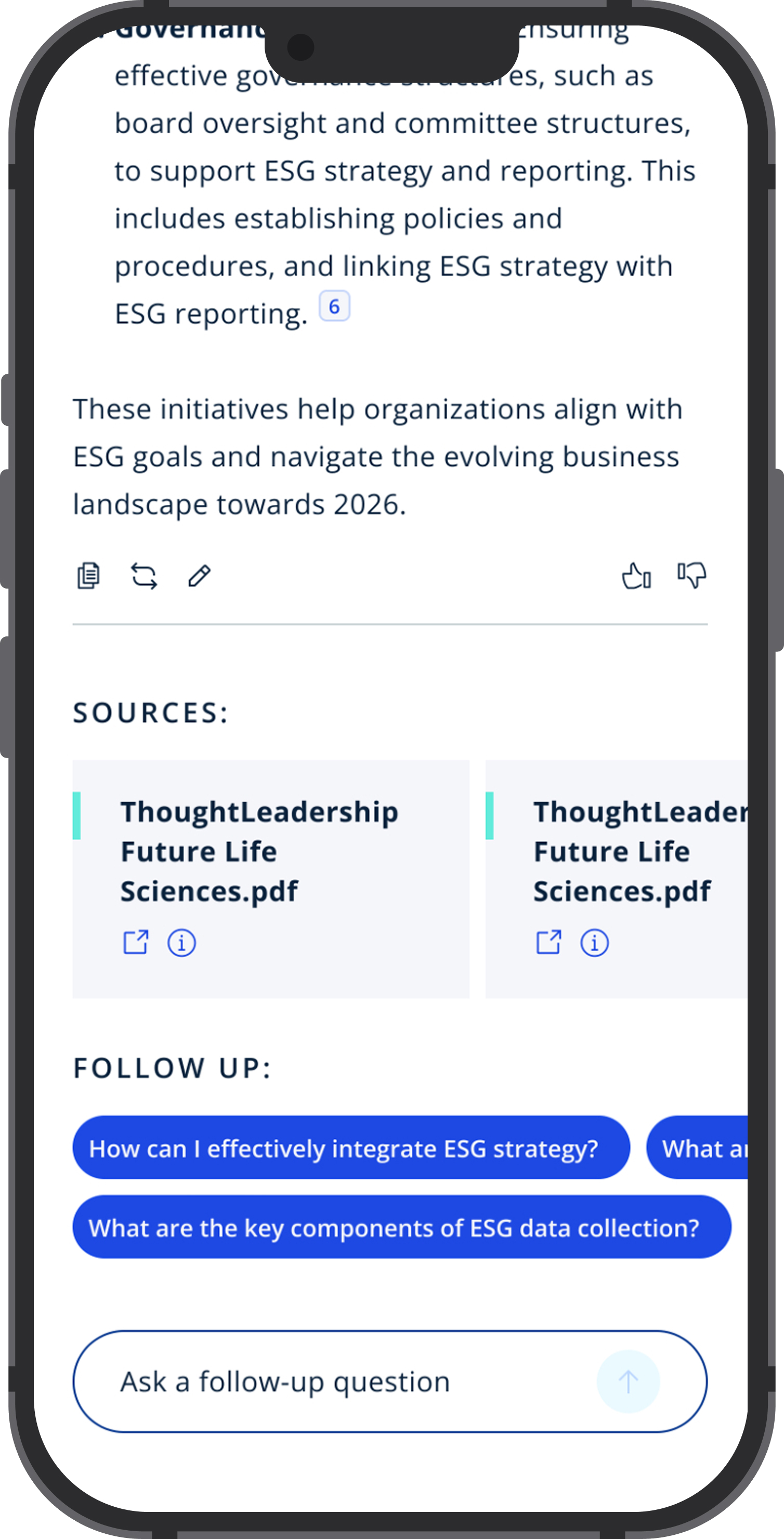
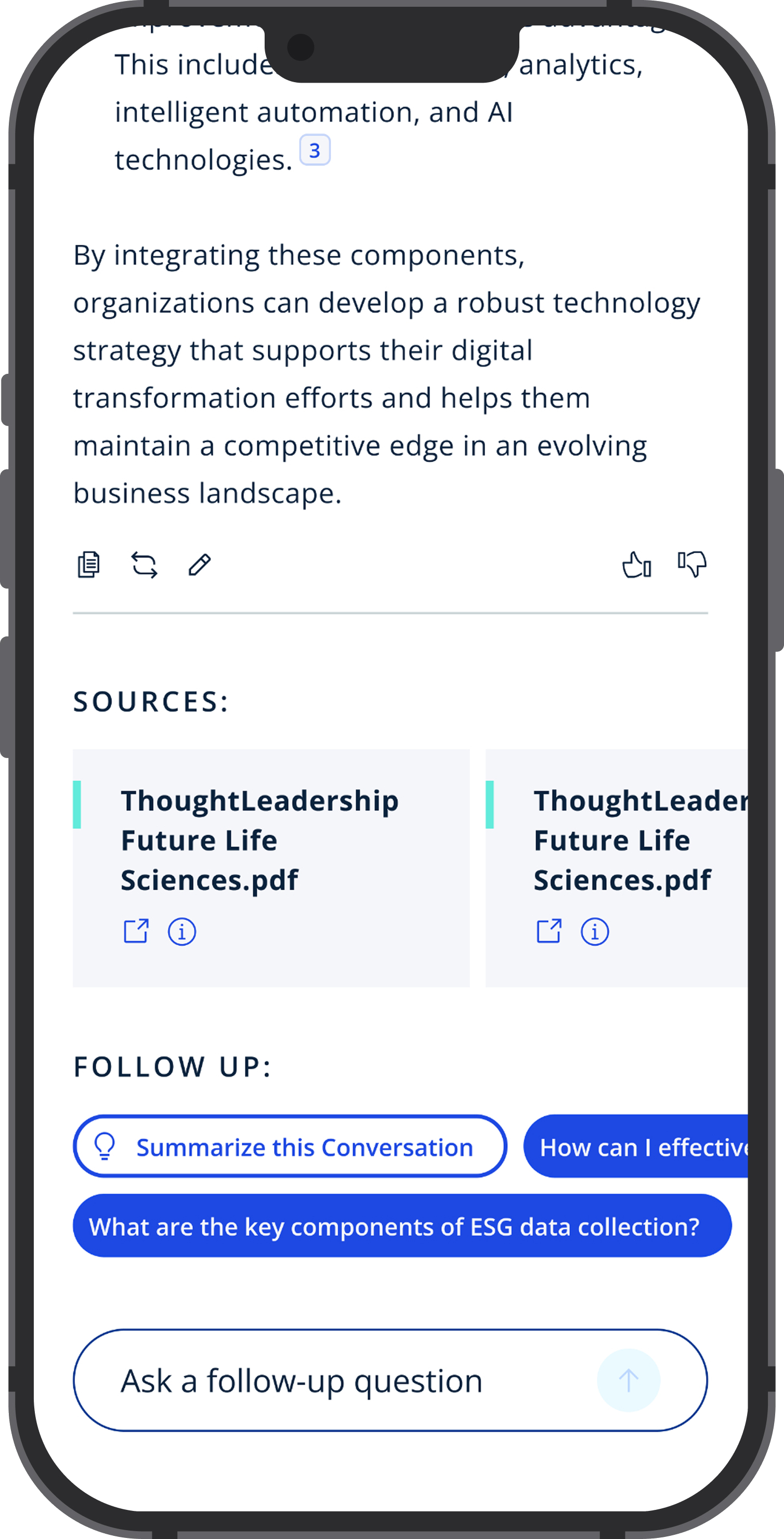
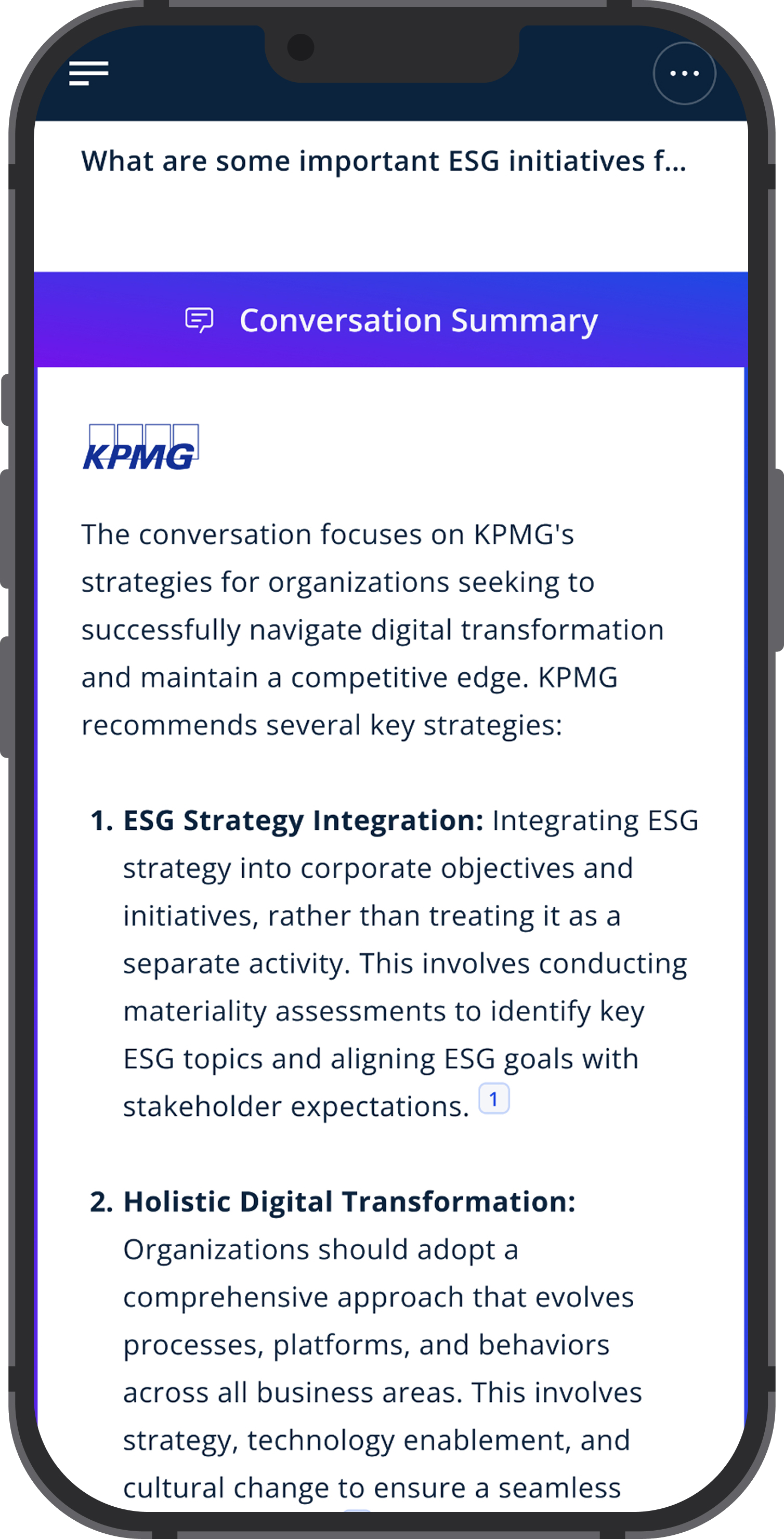
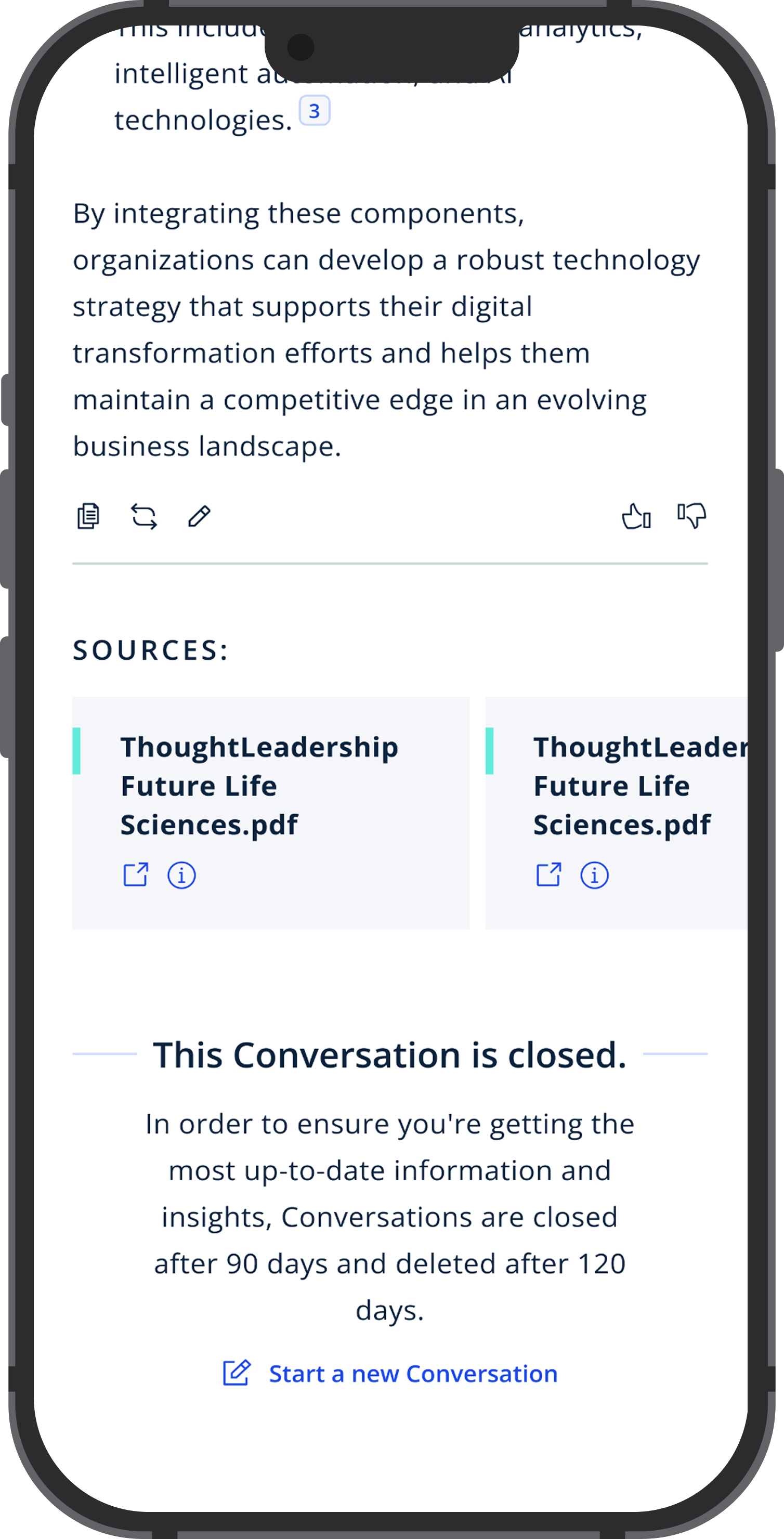
Users ask questions in natural language and receive structured AI responses with inline citations. Tap through to see a cited source panel opening inline, and a follow-up question continuing the thread. Advisors can verify every piece of content before it goes in front of a client.
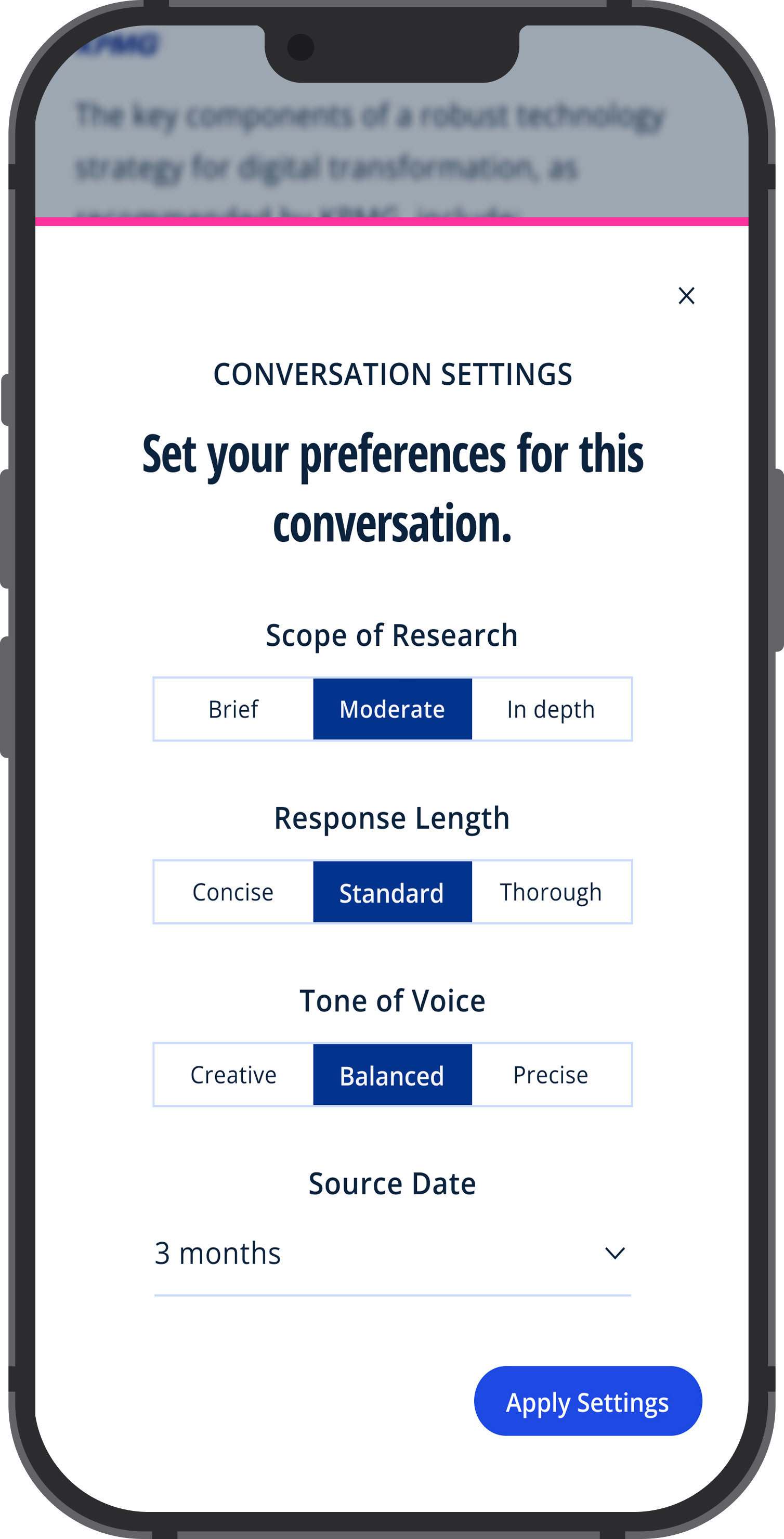
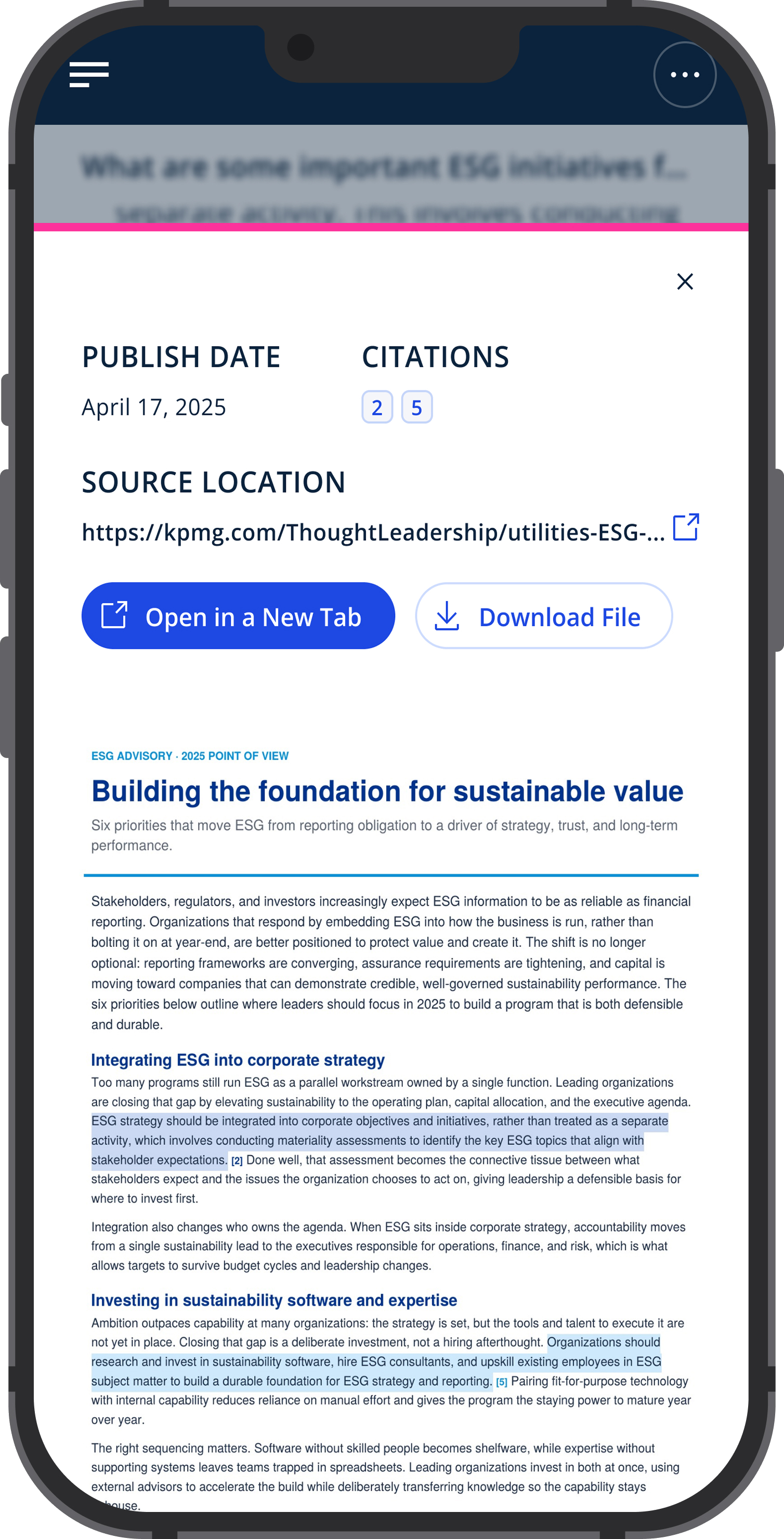
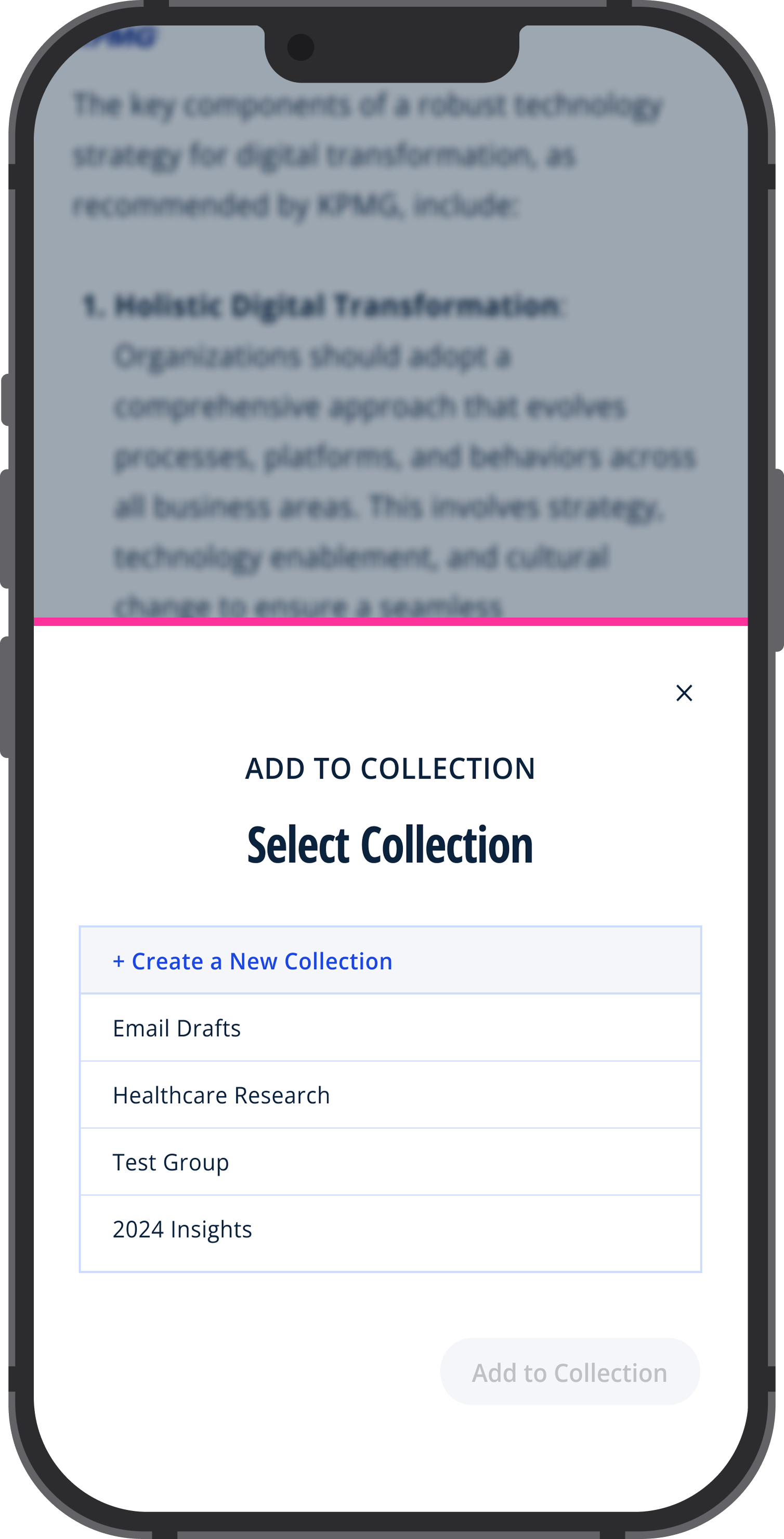
Internal users unlock a suite of overlapping panels and modals that layer on top of the conversation. Tap through to see: the source panel for reading cited documents inline, the model settings modal for adjusting AI parameters, the Add to Workspace modal for saving content directly into a collection, and a summary view for getting a quick digest of a long result thread. None of these are available to external users.
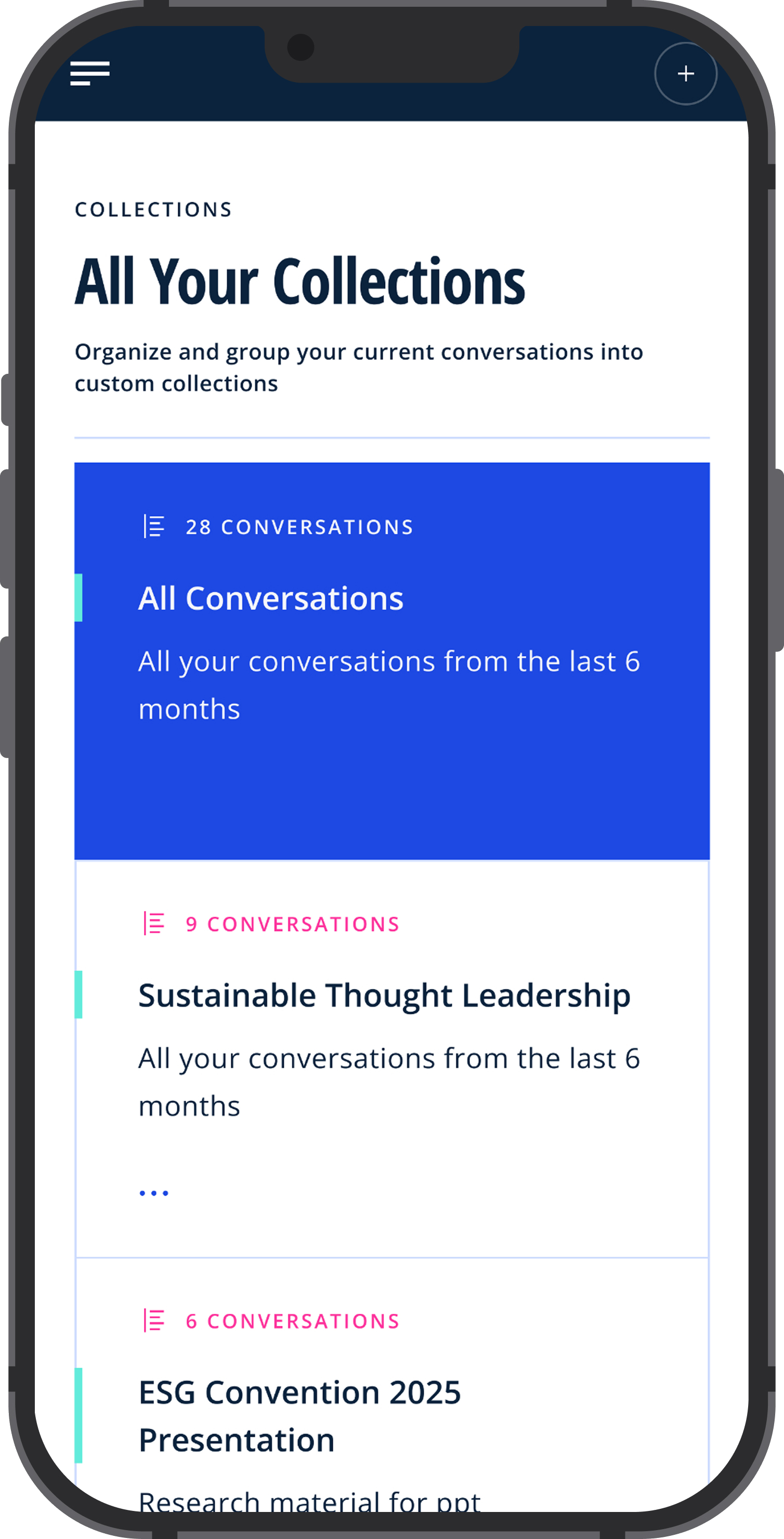
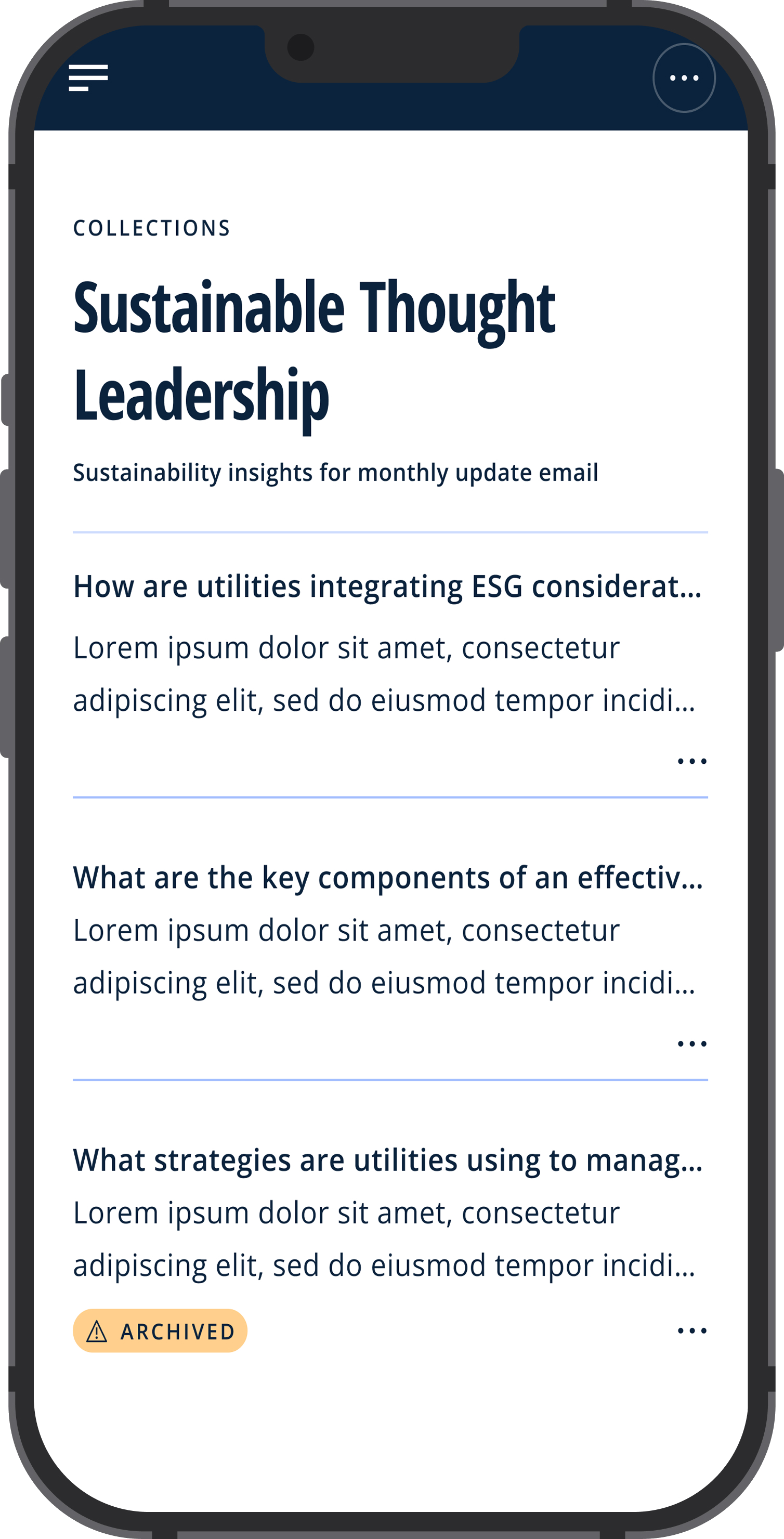
Collections let internal users save and organize content across conversations, building a curated research workspace per client or sector. Tap to see what opening the Sustainable Thought Leadership collection looks like. This feature is internal-only and not surfaced in the external version.
Results
Within three months of launch, TLKA reached a 60% adoption rate among client-facing advisory professionals in the US. Users reported significantly faster research-to-preparation workflows, with average research time dropping from ~90 minutes to under 30 minutes per engagement.
Post-launch surveys showed a marked increase in confidence around using KPMG-sourced content in client materials, attributed directly to the source attribution feature. Internal knowledge managers also noted a measurable increase in engagement with recently published thought leadership that had previously gone underutilized.
"I actually found something I didn't know we had. I used it in the deck and the client asked where it came from. I felt good about that."
Director, Risk Advisory, post-launch surveyWhat this taught me
Simplicity is the product. The most-used feature wasn't the most technically complex one. It was the open-text prompt that replaced five dropdowns. Reducing friction at the moment of intent is the real design challenge for enterprise AI tools.
Trust is not a toggle. Users don't decide to trust an AI result once. They re-evaluate trust on every result. Source attribution has to be persistent, clear, and clickable, not tucked away.
Prompts are UX. How a tool teaches users to talk to it is as important as what it returns. The suggested prompt work was some of the most impactful design in the project and the easiest to underestimate.